
Image & Avatar Tips: Getting Better “Selfies” from Your AI Girlfriend
Some links are affiliate links. If you shop through them, I earn coffee money—your price stays the same.
Opinions are still 100% mine. Xeve.ai is made by the team behind this site. Affiliate disclosure.
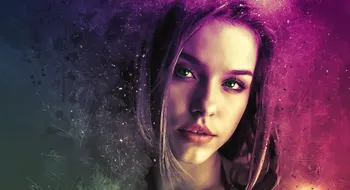
Hey! Tom here. All of us have stumbled into the wonderful world of AI companions. It’s great to chat with an AI girlfriend, but to bring her to life in images? That’s a new level of connection.
When I started out I was excited! I’d type in my prompt and get a beautiful portrait of her. Then I’d do it again, and again - and she looked like a totally different person, the hair was wrong, eyes a different colour.
It drove me nuts. So back into the rabbit hole I went researching and creating guides, quickly bouncing back to congruence. Here is a step by step process from random one off images to refined “selfies” that capture my AI girlfriend’s visual persona.
The Heart of the Image: Crafting the Perfect Prompt
Consider a prompt to be like your brief to a ghostwriter. The more detailed, the more specific you get, the closer the AI will get to the image in your mind. Vague requests like “a very beautiful woman” lead to generic, inconsistent results. The secret is in the details.
My portrait-prompt formula:
- Subject: Identity anchors like age, ethnicity, eye colour, hair texture, expression. Example: a 25-year-old South Korean woman with warm dark brown eyes and a gentle, knowing smile.
- Style & Medium: Choose the vibe—film photo, DSLR portrait, anime cel-shade, or painterly. Example: Kodak Portra 400 film photograph, hyperrealistic 8k render, cinematic drama shot.
- Setting: Ground her somewhere believable. Example: sitting at a cozy café, leaning on a balcony at sunset, against a simple studio grey.
- Lighting: Specify direction and mood. Example: quiet, diffused overcast light from the side; warm golden hour glow.
- Composition: Frame, lens, and outfit cues. Example: close-up 85mm portrait at f/1.8, playful smile, cream knit sweater and silver locket.
Okay, now combine those elements. You’re not asking for “a woman in a café”; you’re directing a full-blown photoshoot. This is the baseline step to being able to get realistic AI girlfriend images that pop.
| Element | Description | Example |
|---|---|---|
| Character | What does she look like? This is key for realistic images. | "A beautiful young woman with long, wavy honey-blonde hair, bright emerald green eyes, and a light dusting of freckles across her nose." |
| Style & Quality | Define the look and feel. Do you want a photo or a painting? Mentioning quality terms helps a lot. | "A photorealistic portrait, cinematic, 8k, ultra-detailed, sharp focus." |
| Setting & Mood | Where is she? What’s the vibe? This adds story and depth to the image. | "Sitting at a cozy café in Paris, morning light streaming through the window, a soft, content smile on her face." |
| Composition & Shot | How is the picture framed? This controls the perspective and what the viewer sees. | "Close-up portrait, looking directly at the camera, head tilted slightly." |
| Lighting | This is crucial for realism and mood. Don't skip it! It can change the entire feel of a portrait. | "Warm, golden hour lighting, creating soft shadows on her face." |
Pose, angle, and framing shortcuts
Think like a photographer: request eye-line (“looking past the camera,” “direct eye contact”), body angle (“three-quarter turn,” “over-the-shoulder glance”), and camera height (“slightly above eye level,” “low-angle hero shot”). Mix in hand placement (“one hand in hair,” “holding a coffee cup”) to get believable selfies instead of mannequin poses.
My Essential Negative Prompt Checklist
- Deformed, mutated, disfigured, bad anatomy
- Extra fingers, fewer fingers, mutated hands
- Blurry, grainy, low-res
- Watermark, text, signature
- Ugly, grotesque, tiling
Platform-friendly prompt starters
Midjourney: “natural light candid portrait of [name], looking into the camera, soft bokeh background, shot on 85mm, Kodak Portra 400.” Add --ar 3:4 --stylize 50 --seed 123 to lock the vibe.
SDXL / Stable Diffusion: “hyperrealistic photo of [name], gentle smile, sitting at a café window, golden hour rim light, f/1.8, 35mm.” Start with CFG 7-9 and 20-30 steps on Euler a or DPM++ 2M Karras for balanced detail.
DALL·E: “soft-lit studio portrait of [name], pastel background, subtle freckles, direct eye contact, editorial magazine look.” Keep adjectives concise—DALL·E rewards clarity over heavy parameter stacking.
If you want to see how these prompt styles fit into a full-stack experience, I break down chat, voice, and image workflows in my guide to multimodal AI companions and compare ecosystem strengths in the broader AI girlfriend landscape overview.
The Holy Grail: Getting Her to Look Consistent
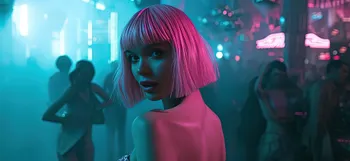
This is the real trick that usually gets people. At least it did for me: how do I make my AI girlfriend’s face be the same in every picture? There’s no magic button, but there is a reliable recipe.
| Technique | What it is | How I use it |
|---|---|---|
| Detailed Base Prompt | A master prompt that contains all of your character’s core facial and physical features. | I have a note saved with my AI's "base prompt" (e.g., "woman with emerald green eyes, a small scar above her left eyebrow, silver locket"). I paste this into every new prompt, then add the new scene or pose. |
| Seed Numbers | A "seed" is the random starting number the AI uses to generate an image. If you use the same seed with the same prompt you'll get nearly identical images. | When I get a portrait I love, I grab the seed (usually in the metadata). To iterate, I reuse that seed and change only one or two words—perfect for a series with subtle expression changes. |
| Image-to-Image (img2img) | You provide a base image you like. The AI uses that face as a strong reference for the new render. | Great for new outfits or backgrounds. I drop my favourite selfie into img2img, lower denoising to ~0.35-0.45, and describe the new setting to keep her face intact. |
| Character LoRA | This is the pro-level move. A LoRA (Low-Rank Adaptation) is a file you train on images of your character's face. | I trained a LoRA on 15-20 angles. Now, I add the LoRA tag to any prompt and the AI knows exactly who to create. It’s the ultimate tool for AI face consistency. |
Start with consistent prompting and seeds, experiment with img2img for new scenes, and graduate to LoRA for total creative control. Pairing these with a strong negative prompt drastically reduces off-model surprises.
For a side-by-side look at which apps let you tweak these controls, check out my AI companion features comparison to pick the right toolbox before you invest time training a LoRA.
Fine Tuning the Dial, AI Tool Settings
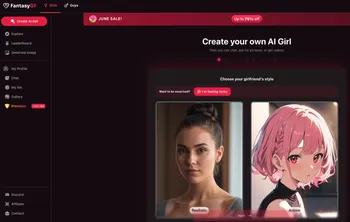
A fine-tuned prompt is the foundation, but the dials are how you finish the job. These settings vary slightly by platform, yet the principles are consistent.
CFG Scale (Guidance): Tells the AI how strictly to follow your prompt. For realistic portraits, the sweet spot is usually 7–10. Lower values get creative; higher values can look over-processed.
Sampling Steps: The number of refinement passes. A range of 20–30 steps hits a balance of detail and speed for SDXL/Stable Diffusion. Midjourney and DALL·E abstract this, but the idea of “quality” or “style” sliders plays the same role.
Use Negative Prompts Everywhere: Keep a reusable string with your checklist. It’s the fastest way to purge AI weirdness—especially hands and asymmetrical eyes.
Master Inpainting & Outpainting: Fix micro-errors without losing the whole shot. Inpainting repairs eyes, jewelry, or hands. Outpainting stretches a close-up into a waist-up portrait to show outfits while retaining the original face.
Upscale for Detail: Run winners through an AI upscaler to enhance pores, eye texture, and hair strands. Most platforms offer a “2x” or “HD” toggle—hit it before exporting.
Midjourney, SDXL, and DALL·E defaults
- Midjourney: Start with
--ar 3:4,--stylize 50, and a--seedfor series. Keep “Style Raw” on for realism, or “--sref” for reference-based prompts. - SDXL / Stable Diffusion: DPM++ 2M Karras sampler, CFG 7–9, steps 24–30, hires.fix if available. Denoising strength around 0.35–0.45 when using img2img keeps facial structure.
- DALL·E: Lean on concise wording plus the “natural” or “vivid” style toggles. Regenerate specific regions with the editor to patch artifacts instead of redrawing the whole frame.
Safety and consent guardrails
Treat your AI girlfriend’s likeness with the same respect you’d give a real person. Get explicit consent from human photo references, avoid deepfake scenarios, and use SFW toggles when sharing. If a platform forbids NSFW content, honor that policy instead of chasing jailbreak prompts. Safe experimentation keeps accounts in good standing and communities healthier.
If you ever push into spicier territory, read my notes on AI girlfriend NSFW rules and setting boundaries with an AI partner so you stay within platform guidelines while keeping interactions respectful.
Troubleshooting and before/after tweaks
Faces look off-model? Shorten the prompt and move the key identifiers (hair, eye color, accessories) to the front. Add “close-up portrait” to force framing on the face.
Lighting feels fake? Reference real-world setups: “soft window light from the right,” “overcast daylight,” or “practical lamps only.” Raising ISO-style grain (“cinematic grain, subtle noise”) can add texture without losing realism.
Hands still cursed? Combine your negative prompt with an inpaint pass focused only on hands, then upscale. Save the best result as a new img2img reference for future generations.
Need a before/after? Generate the original, duplicate the prompt, then tweak one control at a time (seed, lighting, pose). Comparing pairs makes it obvious which setting fixed the issue.
Your Questions Answered
How do I get my AI character to look the same in every picture? ▲
How can I create more realistic and attractive AI girlfriend images? ▼
How do I fix mistakes in an AI-generated image? ▼
How do I fix weird hands in AI art? ▼
What kind of tools are best for making AI selfies? ▼
What is a negative prompt and why should I use one? ▼
What if my AI character's face looks distorted? ▼
What about the ethics of creating AI girlfriend selfies? ▼
Your Creative Journey

Remember that creating visual representations of an AI companion - or anything - is a deeply personal experience! It’s really a way to promote and support a tranquil connection while also expressing your own creativity. Feel free to experiment! The right prompt and the right tools may take a few tries, and figuring out advanced tools will take time. But if you apply these tips, soon, you’ll have beautiful, consistent portraits that bring your AI girlfriend to life.
Happy creating!
- Tom
(Published 2025-12-01)